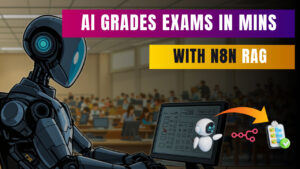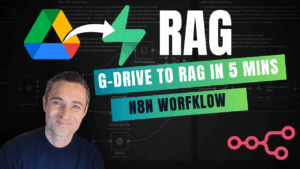
So I’ve been working on this client project that’s honestly blown my mind, and I had to share it with you. Remember that RAG (Retrieval Augmented Generation) database builder I showed you recently? Well, today I’m demonstrating it in action with something that feels straight out of a sci-fi movie – an AI that can mark handwritten assignments faster than any human marker, and probably more consistently too.
The Problem Every Educator Faces
Let’s be honest – marking assignments is a pain in the arse. I’ve got mates who are teachers, and they spend their weekends buried under piles of papers, squinting at handwriting that looks like it was done during an earthquake. And that’s just the text! What about diagrams, arrows pointing to different parts of drawings, crossed-out text that may or may not be intentional?
This client came to me with exactly this headache. They had course materials, assignment rubrics, marking guides, and heaps of other documentation scattered across Google Drive. Students were submitting handwritten assignments (yes, in 2025!), and the marking process was taking forever.
Enter the RAG Database Builder
If you haven’t seen my previous video about the RAG database builder, you might want to check it out first because that’s the foundation of everything I’m showing you today. Basically, this workflow grabs everything from your Google Drive – PDFs, Word docs, course manuals, rubrics, the lot – and throws it all into a searchable database that AI can query.
Watch the video and get the RAG Builder Workflow here.
The beauty is that once you’ve got this knowledge base set up, you can build AI agents that actually know your course content inside and out. They’re not just making stuff up – they’re referencing your actual materials.
The Assignment Marking Workflow
The workflow I built has two main parts, and both are pretty bloody impressive if I do say so myself.
Part 1: The Assignment Marker
This is where it gets interesting. The system connects to a Google Drive folder where students submit their assignments. Now, these aren’t neat typed documents – we’re talking handwritten assignments with cursive text, crossouts, diagrams with arrows pointing all over the place, and drawings that would make a kindergartner proud.
Here’s what happens when the workflow kicks off:
The system grabs the assignment file and sends it to Gemini document vision. This isn’t just text extraction – it’s actually reading the document like a human would. It understands that a line through text means it’s crossed out, it can follow arrows pointing to different parts of a diagram, and it can read cursive handwriting better than some humans I know.
Then it passes everything to an AI agent that’s been trained on all the course materials. This agent doesn’t just mark the assignment – it provides detailed feedback including the student’s answer, the mark out of the total possible, the reasoning behind the mark, and here’s the kicker – it references the exact text from the course materials that supports its decision, complete with document titles and page numbers.
The results get output as both a Google Doc and a styled HTML file. The HTML version looks much nicer with colour coding and better formatting, making it easy to scan through the results.
Part 2: The Interactive Q&A System
But wait, there’s more! (I sound like a bloody infomercial.) The second part of the system lets you have a proper conversation with your course database. You can ask questions like “Can you describe the intonation pattern in the English language diagram?” and it’ll not only give you a detailed answer but tell you exactly which document to find it in and what page number.
I tested it by asking about specific diagrams, and the AI could describe complex visual elements in detail. It understood flow charts, could follow the progression of information, and explained how different elements connected to each other. When I asked where to find test answer documents, it gave me direct links to the relevant files.
Real-World Results That’ll Make You Do a Double-Take
During the demo, I watched this thing mark an assignment that included:
- Cursive handwriting (the kind that gives humans headaches)
- Multiple crossouts and corrections
- Complex diagrams with annotation lines
- Technical terminology specific to the course
The AI correctly identified when a student had written “respect for the other person’s model of the world” in cursive, understood which parts were crossed out, and even analysed diagrams showing eye movement patterns with labels like “VC top left” and “AC middle left.”
For one question worth 6 marks, it gave the student full marks and explained: “The student correctly identified the eye patterns because in the image, the answer’s top left is VC, etc.” It actually understood the spatial relationships in the diagram!
When students got partial marks, the system explained exactly what they got right and what they missed. For example, “The student correctly identified 5 of 7 items” and then provided the complete correct answer for reference.
The Technical Bit (For Those Who Care)
The system uses n8n workflows to orchestrate everything. The RAG database is built using vector embeddings, which means it can find relevant information even when you don’t use the exact same words. The AI agents are prompted to always reference source materials, provide reasoning, and maintain consistency with the marking rubrics.
The beauty of this setup is that it’s not just a black box spitting out marks. Every mark comes with justification, source references, and clear explanations. If a teacher wants to double-check something, they can click directly to the relevant page in the course materials.
Why This Matters (Beyond Just Being Cool)
Look, I’m not trying to put teachers out of work. What this does is handle the grunt work of marking so educators can focus on the stuff that actually matters – like helping students understand concepts, providing personalised guidance, and developing better course materials.
The consistency is also a game-changer. Human markers have bad days, get tired, and sometimes mark differently depending on whether they’ve had their coffee. This system applies the same standards every single time.
Plus, the speed is just insane. What might take a human marker hours to complete, this system does in minutes. And it’s available 24/7, so there’s no waiting around for results.
Setting This Up for Your Own Use
If you’re an educator or work with educational institutions, this kind of system could be a proper game-changer. The RAG database builder I mentioned earlier is the starting point – you’d need to get all your course materials into a structured format first.
The assignment marking workflows would need to be customised for your specific marking rubrics and requirements. Each course is different, so the AI agents need training on what to look for and how to apply your marking criteria.
The good news is that once it’s set up, adding new courses or updating materials is pretty straightforward. The system can handle multiple courses simultaneously, and you can keep refining the marking criteria as you go.
Final Thoughts
I’ve been building AI workflows for a while now, but this one genuinely impressed me. Watching an AI system read handwritten text, understand complex diagrams, and provide detailed, referenced feedback feels like living in the future.
The fact that it can have intelligent conversations about course content and point you to specific pages in specific documents is just the cherry on top. It’s like having a teaching assistant that’s read every single course document and remembers exactly where everything is.
If you’re in education and dealing with the marking grind, this might be worth exploring. The technology is there, it works right now, and it’s only going to get better.
What do you reckon? Are you ready for AI to start marking your assignments, or does the thought terrify you? Let me know in the comments – I’d love to hear from educators who’ve tried similar systems or are thinking about it.
And if you want to build something like this yourself, grab the RAG workflow and start experimenting. The future of education is here, and it’s pretty bloody exciting!
Want to build your own AI workflows? Check out my other tutorials and grab the resources you need to get started. And remember – if I can figure this stuff out, so can you!