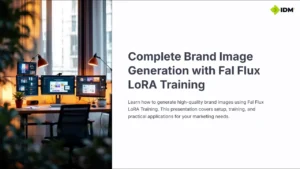
Thought I would share a workflow I’ve built for branded product image generation that uses Fal.AI, Cloudinary, and Google Sheets for a fast, scalable solution.
This setup leverages Fal.AI’s Flux LoRA training to create high-quality, consistent images featuring your models (people), products, and branding elements (logos/overlays). It’s particularly useful for building a content pipeline for ecommerce, social media, or promotional material.
After experimenting with other tools like Replicate, I found Fal.AI to be significantly faster, with a cleaner UI and a more intuitive experience — especially if you’re testing via their API Playground.
🔧 Workflow Overview
The system integrates the following tools:
- Google Sheets – Used as the control panel for:
- Google Drive – For uploading and storing training image files
- Catbox.moe – Used to publicly host zipped training image sets
- Fal.AI – For both LoRA model training and Flux image generation
- Cloudinary – For overlaying branded elements (logos, badges, etc.) on top of the generated image
💡 Use Case
This workflow is ideal for generating consistent, on-brand product shots featuring your model(s) with minimal manual input. Great for ecommerce stores, marketing teams, or agencies handling multiple client brands.
📎 The Download Includes:
- The JSON workflow file
- A notes document with links to API docs
- Google Sheets Template
Playing with Heygen for the video too 🙂